
To give a new user access to your Google Analytics, you need to make sure you are an admin of the account first. Once that’s confirmed, here’s how to grant access to someone else via your Google Analytics dashboard:
- Log in to your Google Analytics Account
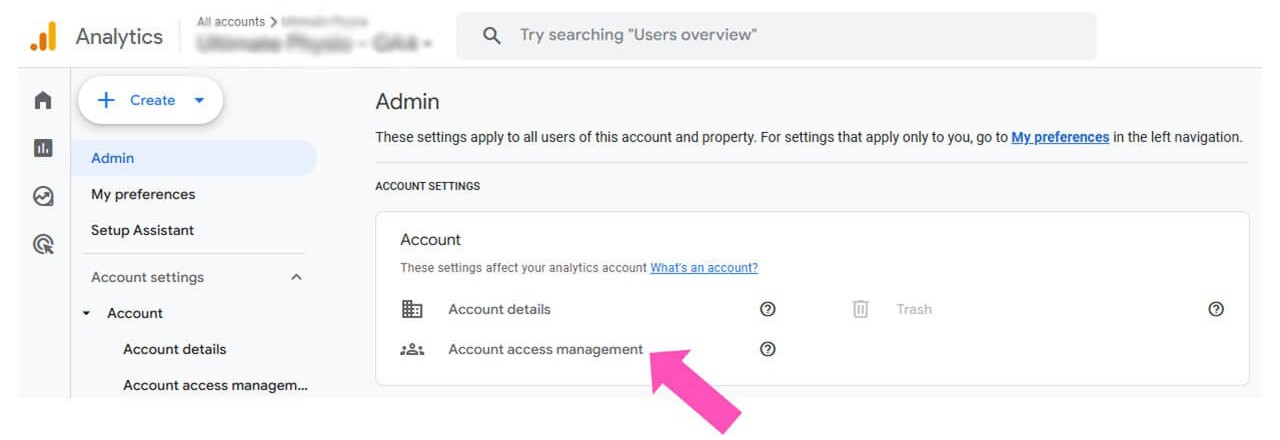
- Click on “Admin” or the Cog icon in the bottom left corner of the screen.

3. Click “Account Access Management”
4. Click the “+” Symbol in the top right hand corner and select “Add Users”.

5. Enter the email address you want to send the invitation to. Click on “Administrator” and then select the blue “Add” button.
